Plastic Canvas Christmas Ornament Patterns from Your Photos
October 29, 2026
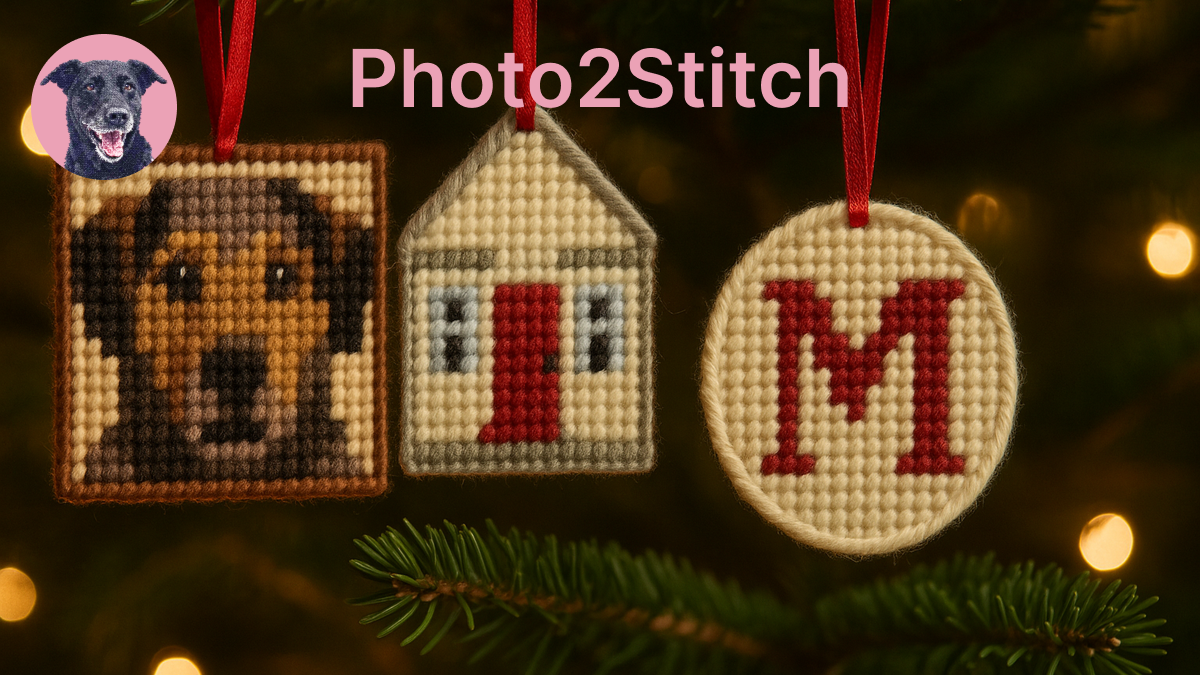
Plastic canvas is the easiest way to make a stitched ornament. The mesh is rigid, it doesn't fray, and you can cut it to any shape, so there's no fabric to back or stiffen and no frame to buy. Most plastic canvas Christmas ornament patterns are stars, trees and snowmen. Starting from your own photo gets you the family dog or the house instead, at the cost of a little planning, because an ornament is only a few dozen stitches across.
How big an ornament is in stitches
The stitch count is the ornament's width in inches times the canvas count. That one multiplication decides how much of the photo survives.
| Ornament width | 7-count | 10-count | 14-count |
|---|---|---|---|
| 3 in | 21 stitches | 30 stitches | 42 stitches |
| 4 in | 28 stitches | 40 stitches | 56 stitches |
On 7-count, which most people buy for yarn projects, a 3-inch ornament is 21 squares wide. A face at that size gets an eye or two stitches across, so the photo has to be simple. On 10-count you have half as many squares again, and 14-count plastic canvas gets you close to cross stitch detail, stitched with floss instead of yarn.
If you want the photo to read as that particular dog, I'd go to 4 inches on 7-count or use 10-count. Small, bold subjects are fine at 3 inches on 7-count.
Photos that work at ornament size
Close crops with strong shapes convert best. A pet's head filling the frame, a house photographed straight on, a snowman your kids built, a single initial on a plain background. Anything you can recognize as a silhouette will still read at 28 stitches.
Photos that struggle are wide scenes, groups of people, and anything where the subject is small in the frame. A family photo of five people becomes five blobs at this size; save that one for a framed cross stitch.
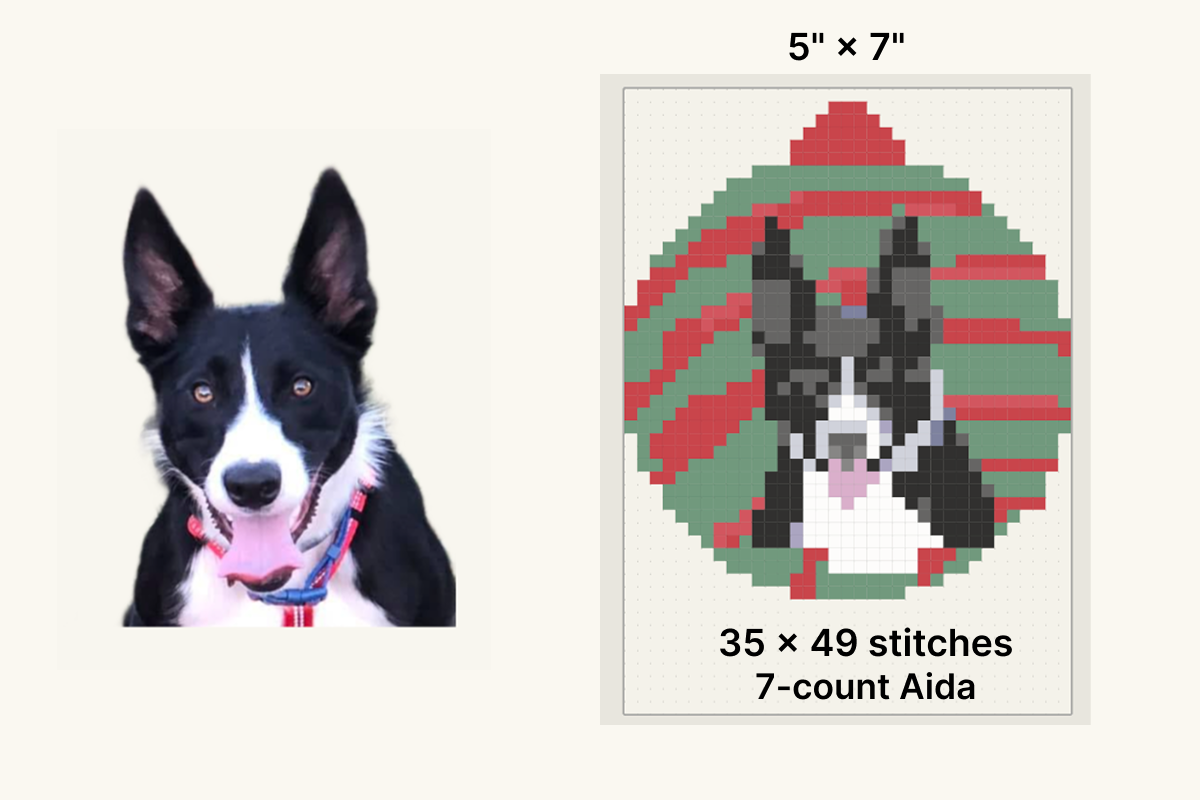
Plain backgrounds help a lot, and you can make one. Photo2Stitch can remove the background in the editor, with a Refine brush for fur and other soft edges. Remove your photo's background free when you sign in. Every pattern you buy adds 2 more removals, and members get unlimited background removal. With the background gone, every color goes to the subject, and the uncovered mesh can be trimmed away to give the ornament the subject's own outline.
Making plastic canvas Christmas ornament patterns in Photo2Stitch
Photo2Stitch charts plastic canvas with its needlepoint settings, since both are worked on an open mesh. The plastic canvas pattern maker page has the background; the steps for an ornament are:
- Upload the photo in the editor and crop it tightly around the subject.
- Remove the background if there's anything behind the subject.
- Choose Needlepoint and the canvas type that matches your plastic canvas: 7-mesh, 10-mesh or 14-mesh.
- Set the canvas size to 3×3 or 4×4 for a round or square ornament.
- Keep the color count low. Six to ten colors suits a 7-count ornament; yarn comes in a coarser range of shades than floss, and at 21 to 28 stitches extra colors turn into scattered single stitches.
- Generate the free preview and look at it from across the room. That's how the ornament will be seen on the tree.
If the preview looks busy, drop two colors and try again. Once you unlock the pattern, the Digital Canvas lets you clean up stray single stitches and swap a color across the whole chart, which matters more on a small grid where one wrong square is noticeable.
Christmas motifs for plastic canvas ornaments
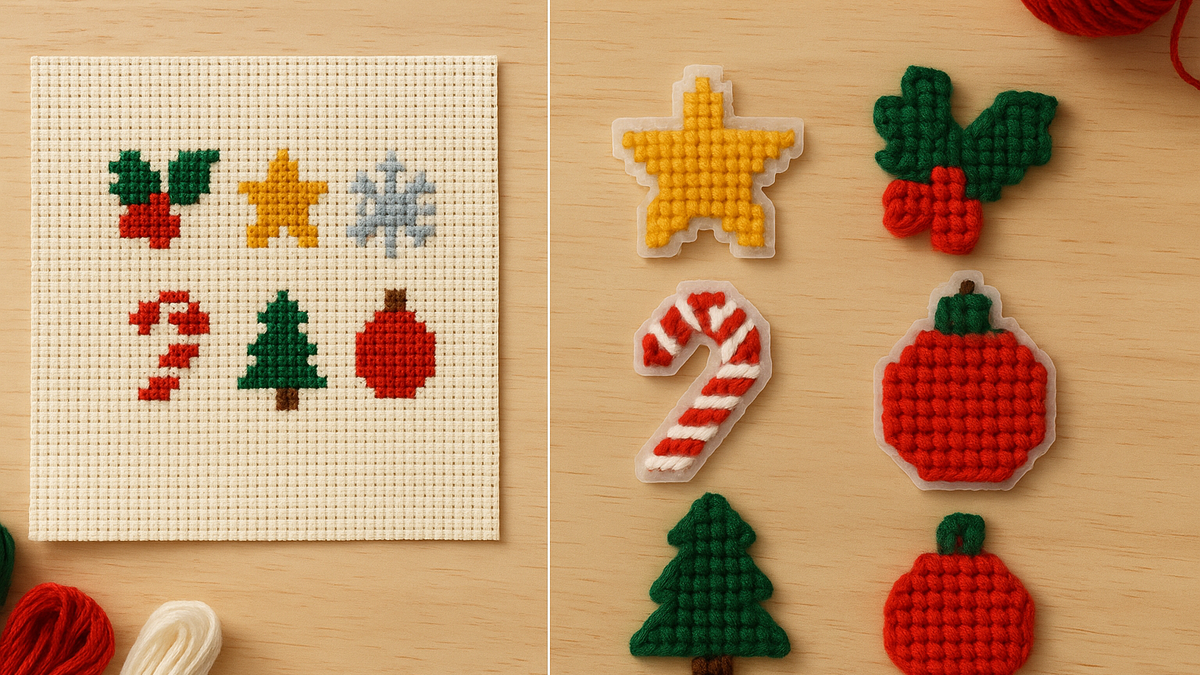
Ornaments come in sets, so a small motif library pays off quickly. Chart a star, a pair of holly leaves, a snowflake and a candy cane once, each on a blank canvas with Exact stitches and the Needlepoint settings for your mesh, and keep each one with Save as motif.
Motifs are measured in stitches, so the same 10-stitch star is about 1.4 inches wide on 7-count and about 0.7 inches on 14-count. When you place one, the motif picker shows its size on the canvas you're working on and grays out anything too large to fit.
On a 28-stitch ornament, keep motifs to 5 to 8 stitches and use them sparingly: a star in one corner beside a pet's face, or a snowflake at each corner of the house ornament. They're also a quick way to dress up the back piece, which often ends up plain. Chart the back as its own small pattern, stamp one motif in the middle or repeat a small one in a row, and the ornament looks finished from both sides.
The same motifs on every ornament tie a set together on the tree, even when every photo is different. You place them from the Layers panel on the Digital Canvas, on any unlocked pattern.
Yarn or floss
The chart's color key uses DMC floss numbers. On 14-count plastic canvas you can stitch with that floss directly. On 7-count you'll want worsted-weight yarn to cover the mesh, so treat the DMC colors as a shopping guide: take the printed key to the yarn aisle and match each shade by eye. On 10-count, a lighter yarn or a heavier floss both work; try a few stitches on a scrap and see what covers the bars.
Plastic canvas yarn ranges are smaller than floss ranges, so two chart colors may end up as the same yarn. That's normal at this size. If it happens, merge them on the Digital Canvas so the chart and your yarn match.
Cutting, edging and hanging
Cut the canvas one bar outside the stitched area, following the outline if you've shaped it. Trim the little nubs left on the cut edge so they don't poke through the edging.
Overcast the edge with yarn in a border color, one wrap per hole and two at the corners so the corners stay covered. If the back shows, cut a second piece to the same shape and overcast the two together, or glue felt to the back.
Thread a loop of ribbon or cord through the top before you finish the edge, or stitch it in afterwards between the two layers. A 7-count ornament is light enough for any branch.
For ornaments with more detail, a cross stitch version on 14-count Aida gives you twice as many squares at the same size; the Christmas cross stitch gift guide covers sizes, timing and adding a name and the year.
Try it with your own photo
Upload a photo and see your counted cross stitch pattern preview — free, before you pay anything.
Try the free pattern preview