Add Backstitch, Knots and Beads to a Cross Stitch Pattern
October 19, 2026
A pattern made from a photo is all full stitches. That works for fur, sky and skin, but the things that make a finished piece look crisp are usually smaller: a dark line around a pet's ear, the glint in an eye, a few beads where something should catch the light. You can now add those on the Digital Canvas, and they come through on the printed chart and on the thread shopping list.
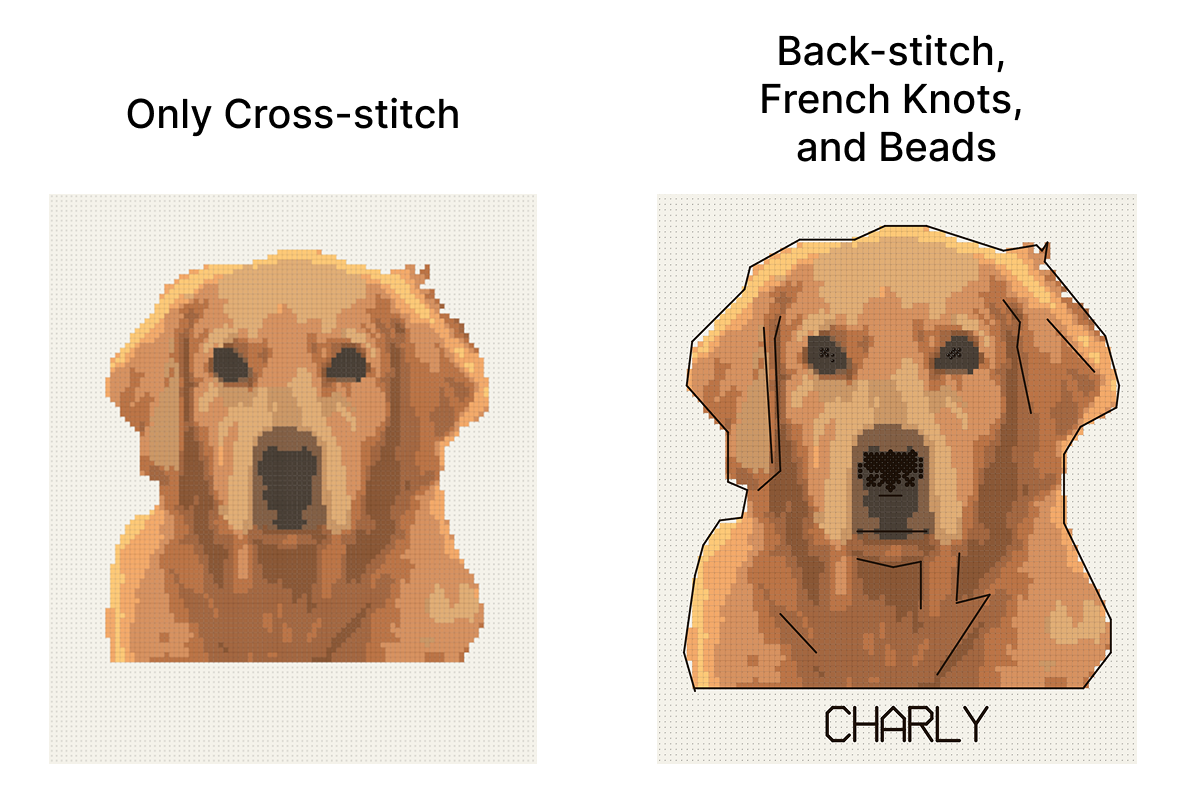
When to use backstitch, fractional stitches, knots and beads
Each one solves a different problem, so it helps to know which one you're reaching for.
Backstitch is a line rather than a filled square. Use it to outline a shape that blurs into its background, for thin things a full stitch can't draw (whiskers, stems, glasses frames, a fence wire), and for lettering. A dark outline around a light subject is the quickest way to make a photo pattern read from across a room.
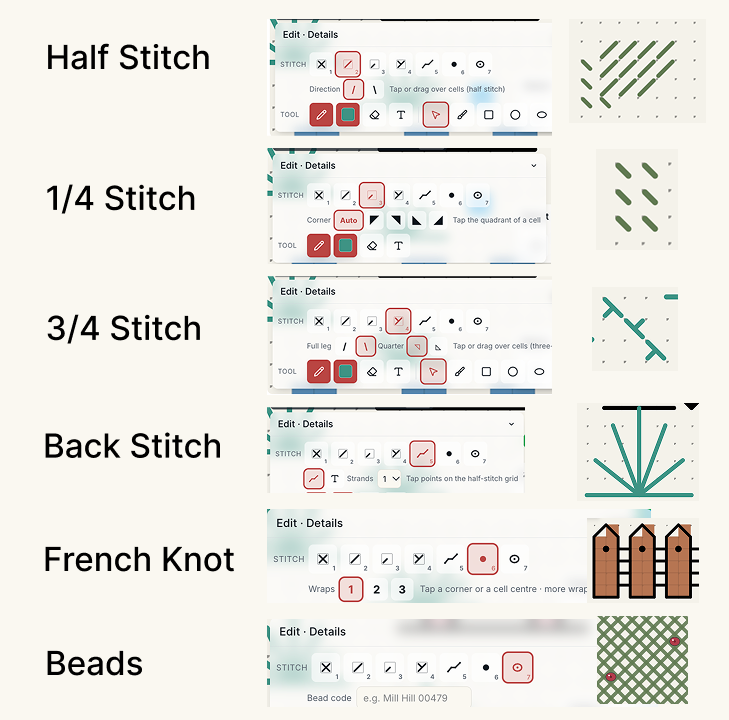
Fractional stitches fill only part of a square. A half stitch is one diagonal leg, a quarter runs from a corner to the center, and a three-quarter combines the two. They round off stair-stepped curves (a cheek, the edge of a petal), and a three-quarter square can hold two colors where two areas meet.
French knots are small raised dots, good for an eye on a small animal or the middle of a tiny flower.
Beads add sparkle and a bit of texture: a dewdrop, a necklace, fairy lights, snow on a branch.
The photo converter still makes full stitches only, on purpose. Where an outline should go is a judgment call, and you'll make it better on the canvas than an algorithm would guess it.
How to add backstitch to a cross stitch pattern
Start from a pattern you've unlocked. If you're beginning with a photo, convert it in the editor first, then open it on the Digital Canvas. In the Edit group there's a Stitch row with seven kinds: Full, Half, Quarter, ¾, Backstitch, Knot and Bead. The number keys 1 to 7 switch between them, which gets quicker once your hands know them.
To draw backstitch:
- Pick Backstitch (key 5) and choose the thread color.
- Set the strands. Two is the usual choice on 14-count Aida and one gives a finer line; the menu goes up to 6.
- Tap where the line starts, then tap each point along it. Points snap to the corners and midpoints of the squares, and a preview line follows your pointer.
- Hold Shift to lock a segment to horizontal, vertical or 45 degrees.
- Double-click, or press Esc, to finish the line.
To take a line out, switch to Remove and tap it. Undo works as usual.
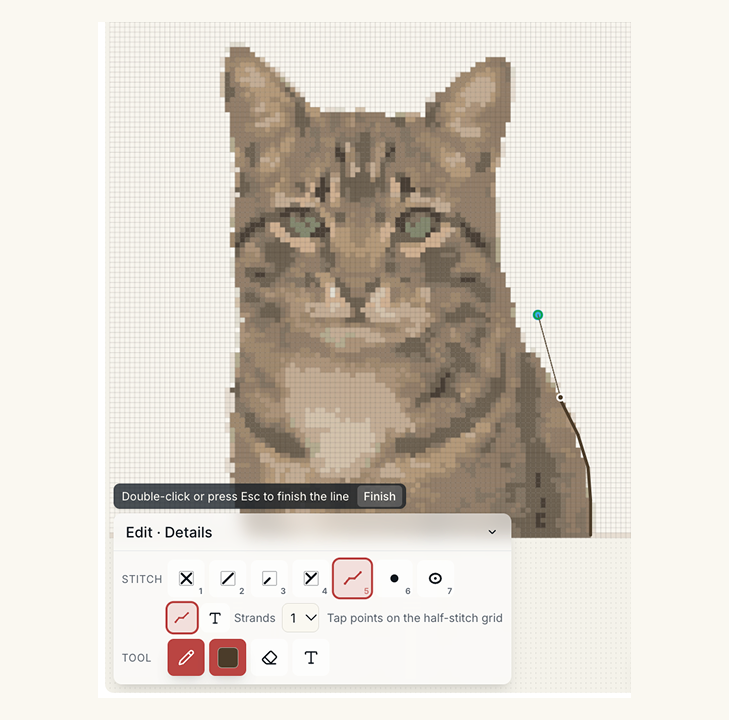
A habit that helps: outline in a thread one or two shades darker than the area it surrounds, not in black. Black is right for cartoons and lettering, but on a photo portrait it tends to look drawn on.
Half, quarter and three-quarter stitches
Each fractional kind has its own options under the Stitch row.
- Half (key 2): choose the direction of the diagonal. Tap a square, or drag across several to paint them all; the whole drag is one undo step.
- Quarter (key 3): with Corner set to Auto, the quarter goes into whichever quadrant of the square you tap. You can also fix the corner.
- ¾ (key 4): pick which full leg to use and which corner the quarter leg comes from, then tap.
The View setting at the top left changes how they look while you work. Blocks shows a fractional stitch as a filled triangle, which is easiest to read. Stitched draws the actual legs, closer to what you'll see on fabric.
Fractional stitches only apply to cross stitch. If you switch a pattern's type to Needlepoint, the fractional kinds are hidden, since a tent stitch has no useful fraction.
French knots and beads
Knots (key 6) add French knots to the cross stitch chart. Each one snaps to the nearest corner or the center of a square, wherever you tap. Choose 1, 2 or 3 wraps first. Remove takes out the knot you tap and leaves a bead next to it alone.
Beads (key 7) take a code that you type, such as "Mill Hill 02013", and use your current drawing color on the chart. There's no bead catalog yet, so you choose the color and the code is whatever you plan to buy. The bill of materials counts beads by that code and adds beading thread to the list.
Editing details: select, recolor, hide
Details respond to the same selection tools as full stitches. Select a row, a column or a box, and the selection panel shows a Details in the selection section with a count of each kind, plus options to delete them or change their thread. It's the fastest way to clear an area or change the color of every outline in it.
Change all colors follows into the details too. Swap a thread across the pattern and the backstitch and knots in that thread change with it.
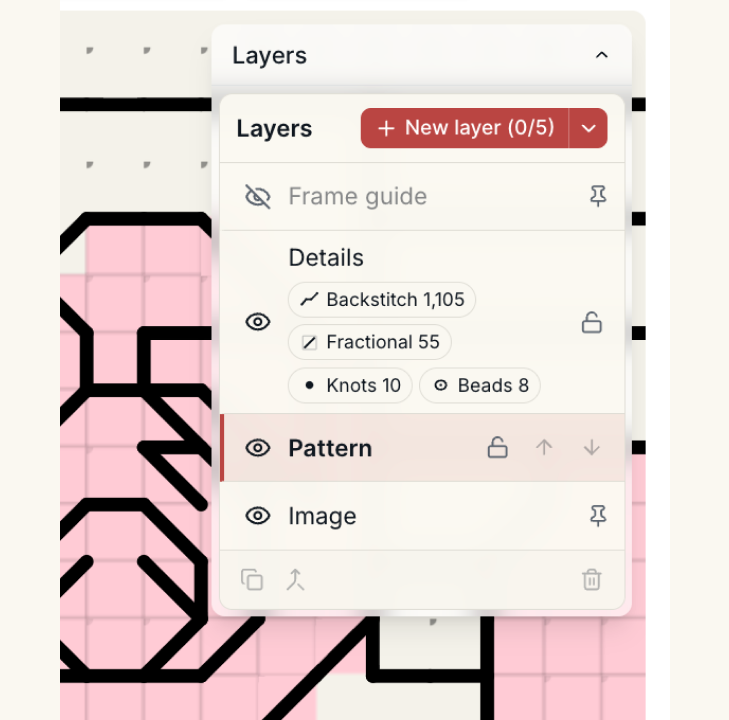
Everything sits on a Details layer in the Layers panel. It has a chip for each kind (backstitch, fractional, knots, beads) to show or hide just that kind, an eye to hide all of them, and a lock that stops accidental edits. Hiding the backstitch is handy when you want to check the full stitches underneath, and picking a kind that's hidden switches it back on.
On the printed chart and the shopping list
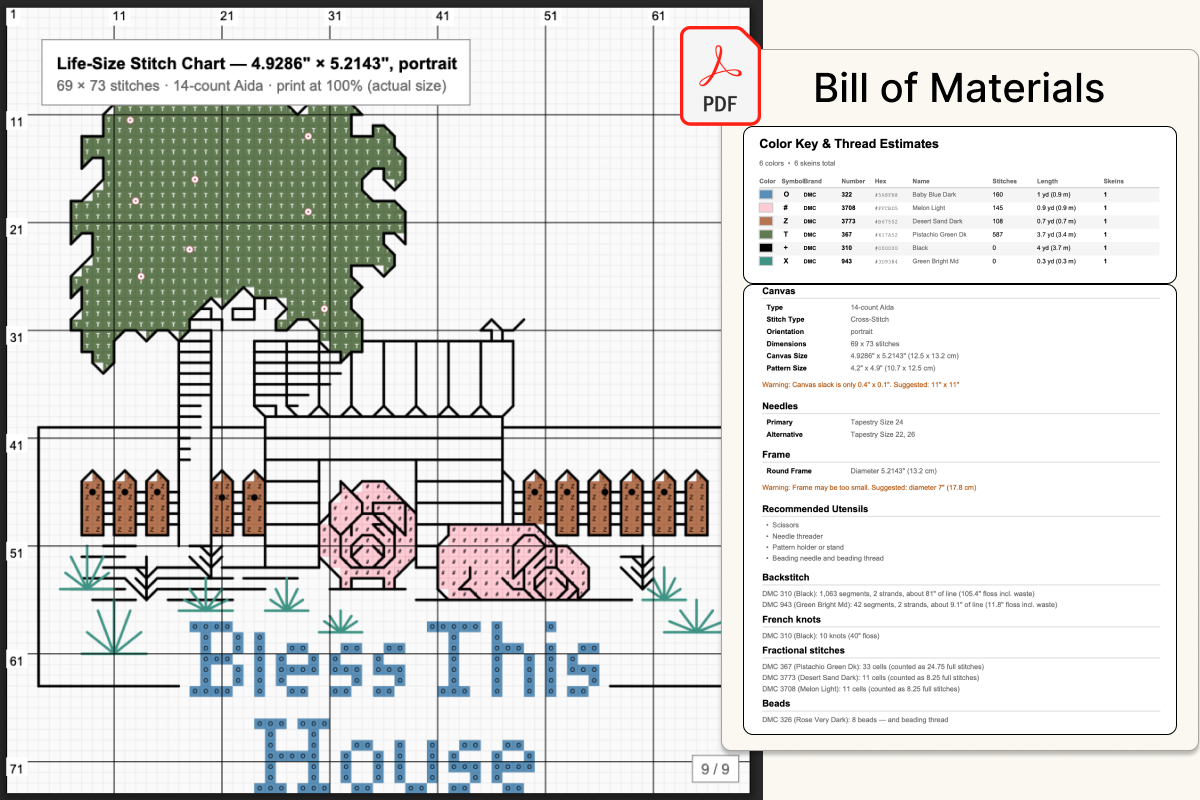
The PDF draws everything you added. Backstitch appears as lines over the grid, fractional stitches as triangles with a small symbol, and knots and beads as dots. The key lists every thread, including any you used only for details, and the bill of materials page has separate Backstitch, French knots, Fractional and Beads sections.
The thread totals count the details as well:
- Backstitch thread is the total length of the lines times the number of strands, plus 30% for waste and finishing off.
- French knots count about 4 inches of thread per knot for each wrap.
- Fractional stitches count as a half, quarter or three-quarter of a full stitch toward their color.
- Beads are counted per code, with beading thread listed as an extra item.
A thread used only for outlines still gets its own skein on the list, so you won't find out at the end that you never bought the dark brown.
The PDF stays compatible with Pattern Keeper and Markup R-XP, and full stitches track in those apps as before. Pattern Keeper shows backstitch as drawn lines; its support for fractional stitches is tentative.
Imported patterns and lettering
If you have a pattern from another program, importing an OXS file keeps its backstitch, fractional stitches, knots and beads, and you can edit all of them with these tools. For names and dates, backstitch lettering is built into the same Backstitch tool.
The editing tools come with the unlocked Digital Canvas. Start with a free preview of your photo and add the details once it's yours.
Try it with your own photo
Upload a photo and see your counted cross stitch pattern preview — free, before you pay anything.
Try the free pattern preview