How to Open and Edit an OXS Cross Stitch File Online
October 19, 2026
An OXS file is a cross stitch chart saved in an open format, so a pattern made in one program can be opened in another. If you have one (from your own design software, from a designer who sent it to you, or from an earlier export), you can now upload it to Photo2Stitch instead of a photo and get the same pattern back. Every stitch lands in its original square, with the original threads.
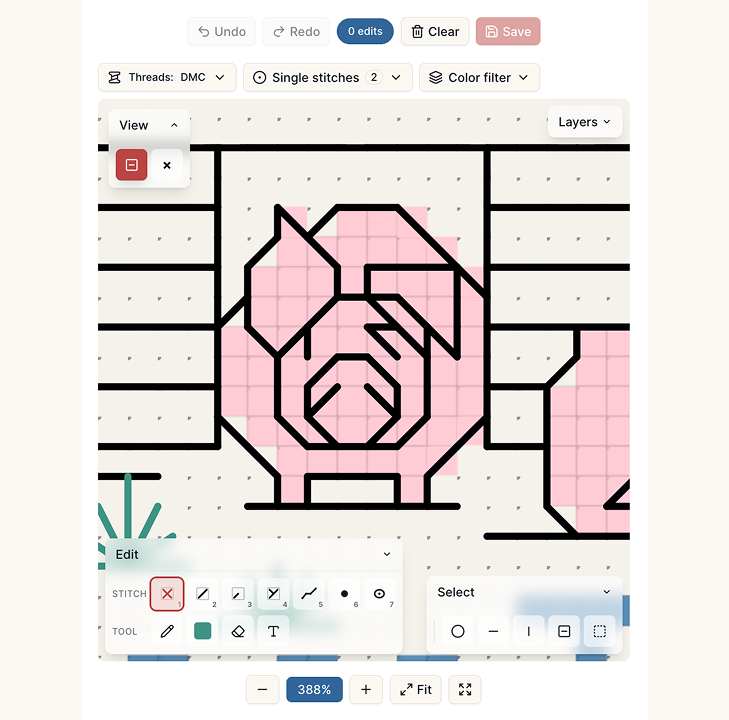
This is a bigger change than it sounds, because until recently our import turned half and quarter stitches into full ones and dropped backstitch, French knots and beads altogether. One test file lost 1,105 backstitches on the way in. Now all of them come through, and you can edit them.
What is an OXS file?
OXS stands for Open Cross Stitch (its creator calls it Open XStitch). Ursa Software, the company behind MacStitch and WinStitch, designed it as a format any cross stitch program could use, and other programs have picked it up. MacStitch and WinStitch open and export it, FlossCross imports and exports it, Stitchmate opens and saves it, and Cross Stitch Saga can import it.
Inside, it's a plain-text XML file. It records the size of the chart, the palette (each thread with its brand, number and color), every full stitch, and then the extras: part stitches, backstitch lines, knots and beads. Because the file describes the chart instead of picturing it, a program reading it has nothing to guess. A PDF chart is the opposite case, where software would have to recognize symbols in an image.
How to import an OXS pattern
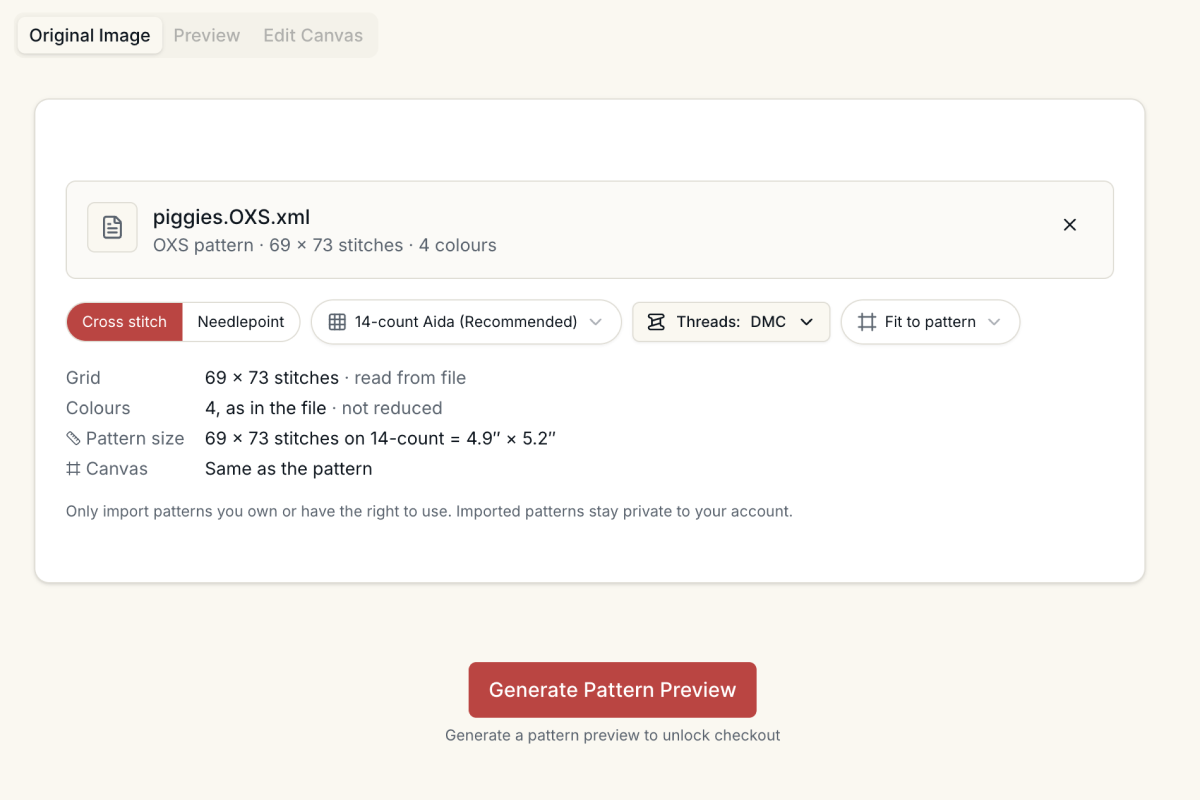
- Open the editor and upload your
.oxsfile where you would normally drop a photo. - The file is read in your browser first, so you see the grid size and the number of colors before anything is generated.
- Choose the canvas. Fit to pattern keeps the design at its own size on your fabric count. Or pick a page size and orientation, and the design is centered on it with the extra squares left unstitched. Page sizes too small for the design at your count are grayed out.
- Pick the fabric count you plan to stitch on. It sets the finished size in inches, so this is also a quick way to see how big a design would be on 16- or 18-count instead of 14.
- Generate the preview.
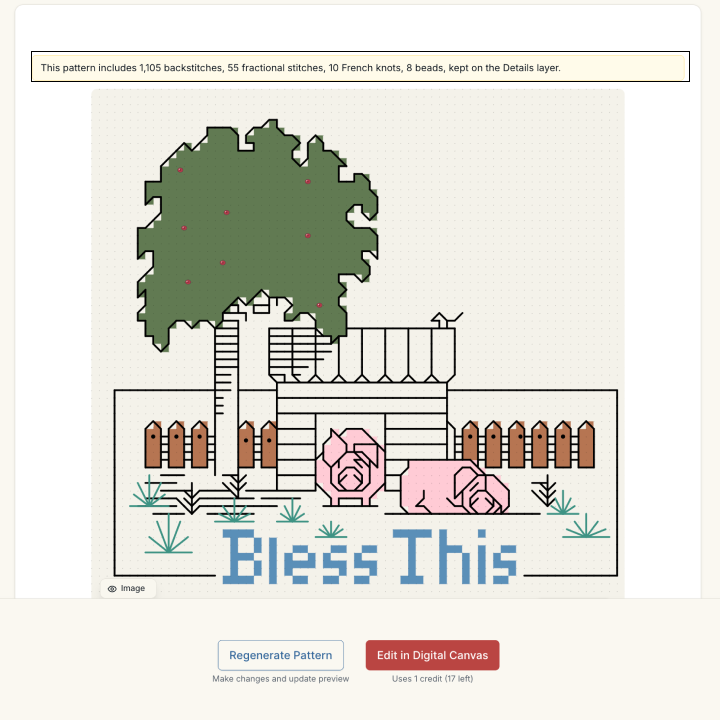
When the preview is ready, a notice tells you what came in. For the sample file above it reads "includes 1,105 backstitches, 55 fractional stitches, 10 French knots, 8 beads, kept on the Details layer." If anything was left out, the notice lists that too. The preview is free and shows the whole pattern, details included, so you can check it before paying anything.
What comes in exactly
The grid and the threads. Every full stitch goes into the same square it had in the file. Thread numbers stay as they are when the file names one of the brands we carry: DMC, Anchor, Cosmo, Sullivans or Kreinik. A thread from any other brand (Madeira or a hand-dyed line, say) is matched to the nearest color in the brands you selected, so your shopping list stays something you can actually buy.
The details. Backstitch lines keep their strand counts. Half, quarter and three-quarter stitches keep their direction, including squares that hold two colors. French knots keep their wraps, and beads keep their codes. They all sit on a separate Details layer above the full stitches and are drawn in the free preview, so you see the outlines before you buy.
What doesn't come through. Blended threads (two colors in one needle) keep only their first thread. Daisy stitches, bugle beads and comment boxes are left out, and the import notice lists anything it skipped.
What to do once it's in
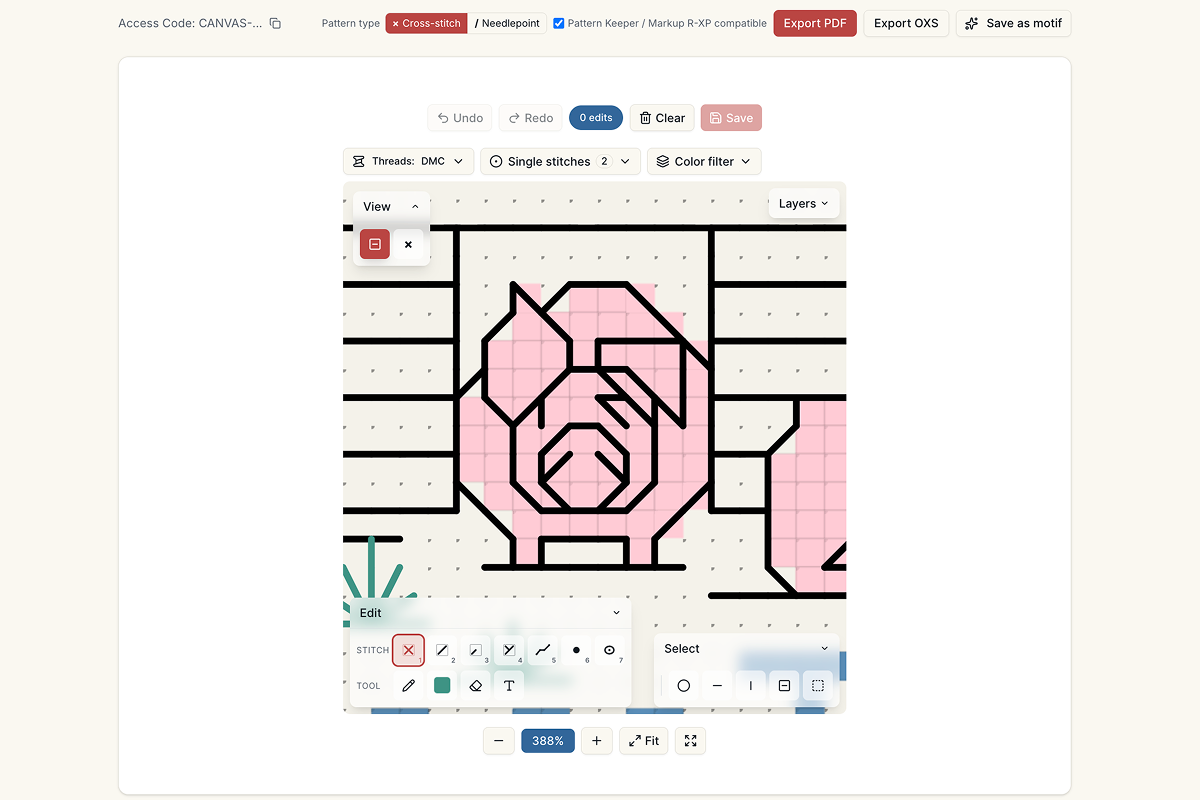
Once you unlock the pattern it opens on the Digital Canvas like any photo pattern, and everything is editable: recolor areas, clean up single stitches, switch thread brands. You can also add your own outlines, part stitches, knots and beads; this guide to adding backstitch and other details covers each tool.
For a border or a name around an imported design, the guide to personalizing a pattern walks through frames and full-stitch text, and backstitch lettering is the finer option for names and dates.
Export: PDF for Pattern Keeper, or OXS for other apps
The Digital Canvas exports a pattern two ways: OXS to PDF, for stitching from a printed or phone chart, or back to OXS for other programs. You can do both.
PDF. The chart pages draw backstitch as lines, fractional stitches as triangles with their own small symbols, and knots and beads as dots. The key lists every thread, including any used only for details, and the bill of materials page gets separate Backstitch, French knots, Fractional and Beads sections. The PDF is compatible with Pattern Keeper and Markup R-XP, and full stitches track in those apps exactly as before. Pattern Keeper shows backstitch as drawn lines. Support for fractional stitches in those apps is tentative, so open a page on your phone before you commit to a big project.
OXS. The OXS export is written in the same open format, for programs that read it. It also comes back into Photo2Stitch unchanged: export it, import it again, and every stitch, strand count, knot and bead is where you left it. I'd keep one as an editable master copy of any pattern you've customized.
Current limits
- OXS only, for now. PDF charts, images or screenshots of charts, Pattern Maker (
.xsd) and PCStitch (.pat) files are recognized and refused with a message, rather than imported badly. More formats are coming. - Up to 500 × 500 stitches and 254 colors. On 14-count, 500 stitches is about 36 inches, so few hand-stitched designs come close.
- Blends keep their first thread, as described above.
OXS import questions
Can I import a PDF chart?
Not today. A PDF chart is a picture of symbols, and reading one reliably is a different problem from reading a file that describes the chart. If your pattern lives in a program that can save OXS, export it from there and upload that file instead.
Does the import keep backstitch?
Yes. Backstitch, half, quarter and three-quarter stitches, French knots and beads are all kept. They show in the free preview and carry through to the PDF, the bill of materials and the OXS export.
Can I open the exported file in another app?
The export is a standard OXS file, so programs that read the format can open it. If you need it in one particular app, try a small export there first. It always re-imports into Photo2Stitch exactly as it left.
Does importing change my colors?
Only when it has to. Threads from DMC, Anchor, Cosmo, Sullivans and Kreinik keep their numbers. Threads from other brands become the nearest color in the brands you selected, and the color key shows exactly which threads you'll need.
Try it with your own photo
Upload a photo and see your counted cross stitch pattern preview — free, before you pay anything.
Try the free pattern preview