Canvaswork: What It Is, and How to Chart a Photo for It
September 1, 2026 · Updated October 26, 2026
Canvaswork (also written canvas work) is embroidery stitched on an open-weave canvas so the ground is covered. In shops and books that usually means tent stitch — the same family as American needlepoint and UK tapestry. Decorative stitches (Hungarian, Byzantine, bargello) live under the same roof, but a photograph charts most honestly as a square grid of tent stitches, one colour per intersection.
This guide uses “canvaswork” on purpose: if you searched that word, you want canvas, mesh, and full coverage — not cross stitch on Aida.
Canvaswork vs cross stitch vs “tapestry”
| Term | Ground | Typical stitch | Photo charts as |
|---|---|---|---|
| Canvaswork | Mono / interlock canvas | Tent and other canvas stitches | Colour per mesh hole |
| Needlepoint | Mono canvas | Continental, basketweave | Same grid |
| Tapestry (UK) | Mono canvas | Tent in wool or cotton | Same grid |
| Cross stitch | Aida / evenweave | Full cross (X) | Colour per Aida square |
A photo-to-pattern converter does not need a different algorithm for those three canvas names. It needs mesh instead of Aida count, full coverage as the default assumption, and a palette that can be bought as wool or cotton. Woven wall tapestries (Gobelin, Aubusson) are a different craft; they are not what these charts describe.
Why photos suit canvaswork
Because every intersection is stitched, the piece is a solid mosaic. Faces, houses, and pets keep their silhouette without relying on unstitched fabric for contrast. The trade-off is labour and fibre: a 12-mesh cushion in tapestry wool is faster than the same inch-count in 18-mesh cotton, but it holds less photographic micro-detail.
Mesh is stitches per inch, the canvas analogue of Aida count:
- 12 mesh — decorative and furniture-scale; wool covers well.
- 14 mesh — general-purpose photo canvaswork.
- 18 mesh — finer framed pictures; cotton or fine wool.
Plastic canvas is related (rigid mesh, often 7-count) but is a separate, coarser project type; see the plastic canvas page if that is the ground you have.
How a photo becomes a canvaswork chart (three steps)
The pipeline matches Photo2Stitch’s other counted crafts. What you set differently is canvas type: mono, and you plan stitches as tent, not crosses.
1. Upload and customise

Upload in the pattern editor. Crop aggressively: canvaswork at 12 mesh has fewer stitches per inch, so a busy full-length scene collapses. Adjust contrast. Choose 2–50 colours and mono canvas at 12, 14, or 18 mesh.
Typical controls:
- Upload JPG, PNG, or WebP
- Crop and rotate
- Brightness, contrast, saturation
- Colour count
- Canvas type and mesh
A transparent PNG (background removed) is useful when you will stitch the subject on a coloured canvas, or when you want a shaped silhouette later finished as a cushion front.
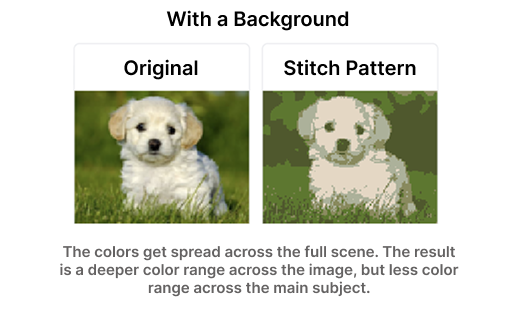
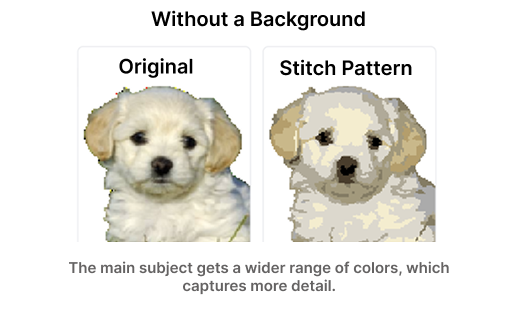
If your photo has a cluttered background, crop tighter before converting. It's the highest-leverage edit you can make.
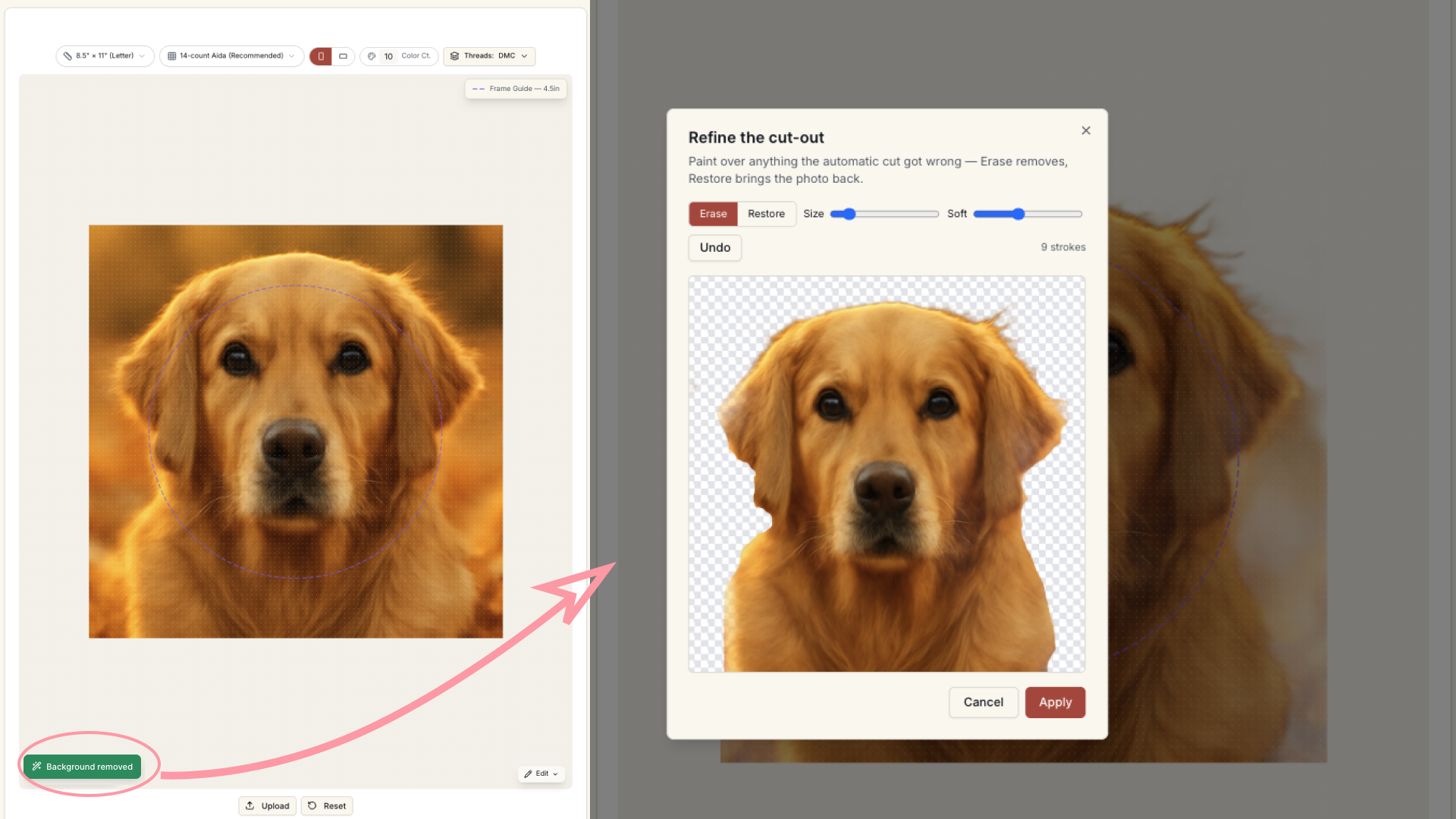
Photo2Stitch removes it for you in the editor, with a Refine brush for tricky edges like fur. Remove your photo's background free when you sign in. Every pattern you buy adds 2 more removals, and members get unlimited background removal.
2. Generate a pattern preview
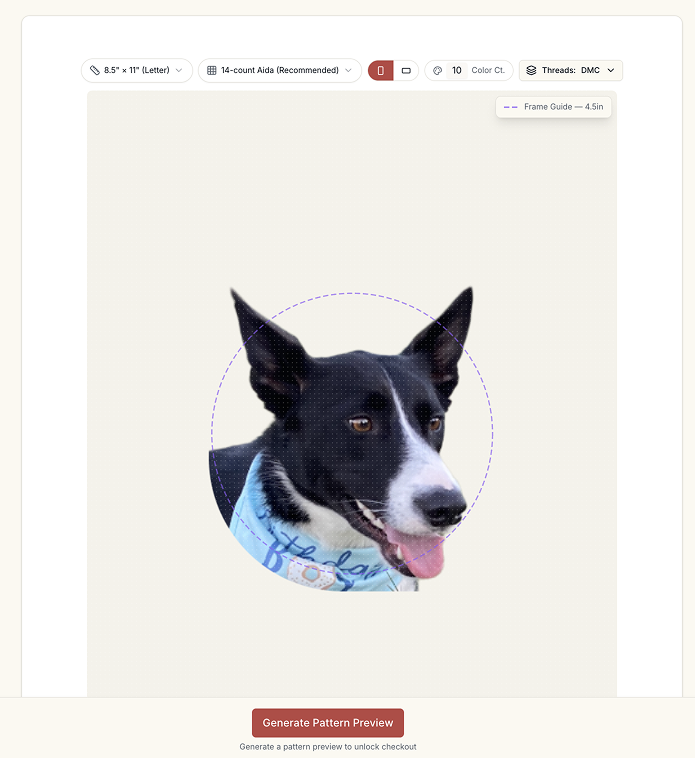
Quantization limits the photo to your colour count. Thread mapping assigns DMC or Anchor (or a wool match-by-eye guide). Confetti reduction merges singleton stitches. On canvas, those singletons are not only fussy: they force you out of basketweave, which is how large areas stay unwarped.
Preview questions specific to canvaswork:
- Will this be stitched in wool? If yes, drop the colour count; wool ranges are wider-spaced than DMC.
- Are there huge single-colour fields (sky, jumpers) that will stitch pleasantly in basketweave?
- Is 12 mesh enough for the face, or does it need 18?
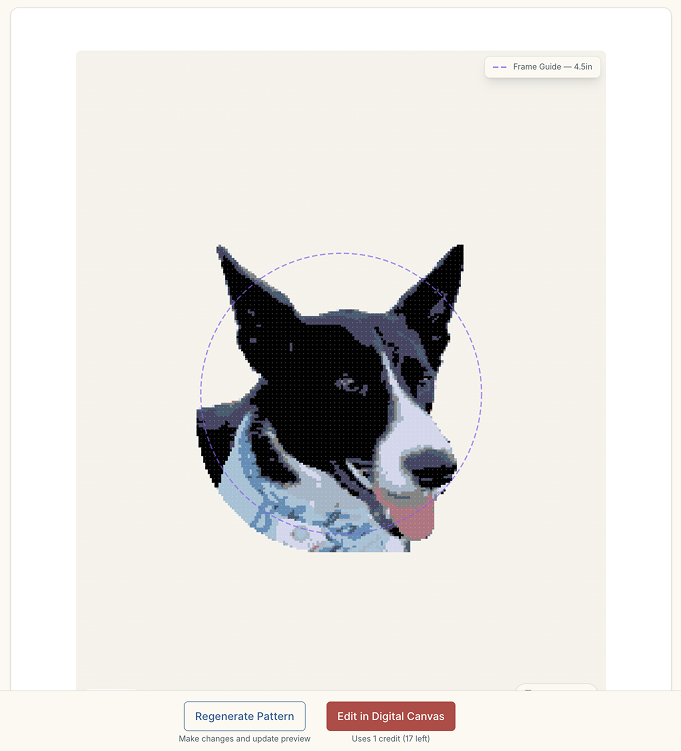
3. Work on the digital canvas
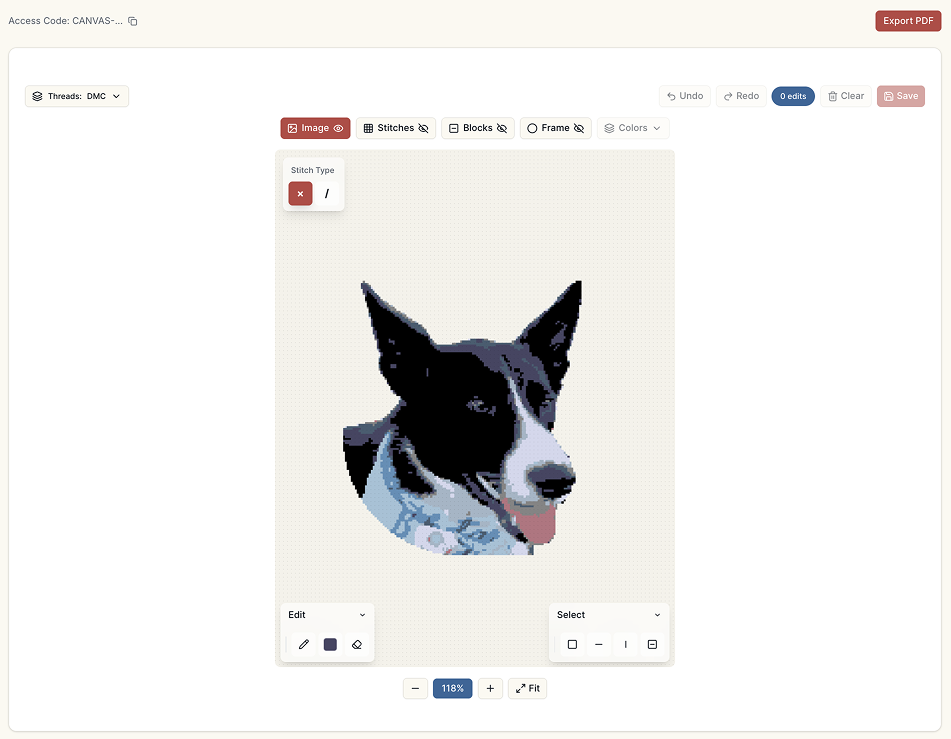
Edit the chart so it respects how canvas is actually stitched: merge specks, straighten edges that will be tent-stitched, swap a shade that does not exist in your wool drawer. The digital canvas supports stitch-level edits, colour layers, zoom, a bill of materials, and a printable chart with a colour key.
For mixed-stitch canvaswork (a photo field in tent, a border in a decorative stitch), treat the converter output as the pictorial panel only; add borders from a stitch dictionary rather than expecting the photo grid to encode Hungarian diamond.
Canvaswork habits that affect a photo chart
- Basketweave on large areas; continental for steps, edges, and small motifs.
- Do not leave canvas showing unless you are doing a deliberate open stitch — photo conversion assumes coverage.
- Stretcher bars or a frame keep mesh square; photos exaggerate diamonds if the canvas biases.
- Trame or tramé (laid under-threads) is a traditional tapestry shortcut; a digital chart does not encode it. You can still lay tramé by colour block if you work from the colour key.
Quick facts
- Canvaswork here means counted, full-coverage embroidery on mono canvas
- Same photo grid as needlepoint / UK tapestry; different search term and stitch vocabulary
- 12, 14, and 18 mesh; wool on coarse, cotton on fine
- 2–50 mapped colours; fewer for wool, more for cotton miniatures
Continue with photo to needlepoint, photo to tapestry, or photo to cross stitch.
Try it with your own photo
Upload a photo and see your counted cross stitch pattern preview — free, before you pay anything.
Try the free pattern preview