Christmas Cross Stitch Motifs: Build a Library You Can Reuse
November 11, 2026
If you stitch more than one Christmas gift, you end up charting the same little things over and over: a holly sprig in a corner, a star above a name, a row of snowflakes along the bottom. This tutorial sets those up once as a Christmas motif library in Photo2Stitch, then uses them on a pet portrait, a snowflake border, an ornament and a card. Plan on an evening to build the library. After that, dressing up each gift takes a few minutes.
Here's the whole idea in under a minute: Marly in a Santa hat, framed by trees, reindeer and a snowflake lattice, every piece placed from a Christmas motif library.
What goes in a Christmas motif library
Six to eight motifs cover almost everything. Keep them small, because a motif that's too big for an ornament is no use on half your gifts, while a small one can always be placed at double size on a bigger piece.
| Motif | Size I'd chart it at | Where it gets used |
|---|---|---|
| Snowflake | 13 × 13 | Borders, ornament backs, scattered across a background |
| Holly sprig | 11 × 9 | Corners, under a name |
| Star | 11 × 11 | Above a name, top of a tree |
| Candy cane | 6 × 13 | Pairs on either side of a date |
| Small tree | 9 × 13 | Rows along the bottom of a sampler |
| Bauble | 9 × 11 | Hanging from a border, card fronts |
| Reindeer | 11 × 11 | Between trees in a border, either side of a name |
| Stocking | 9 × 12 | Name tags, children's gifts |
Odd widths are deliberate for anything symmetrical. A 13-stitch snowflake has a true middle stitch, so it looks the same flipped either way, and it sits centered under a name without a half-stitch offset.
Step 1: Start each motif on a blank canvas
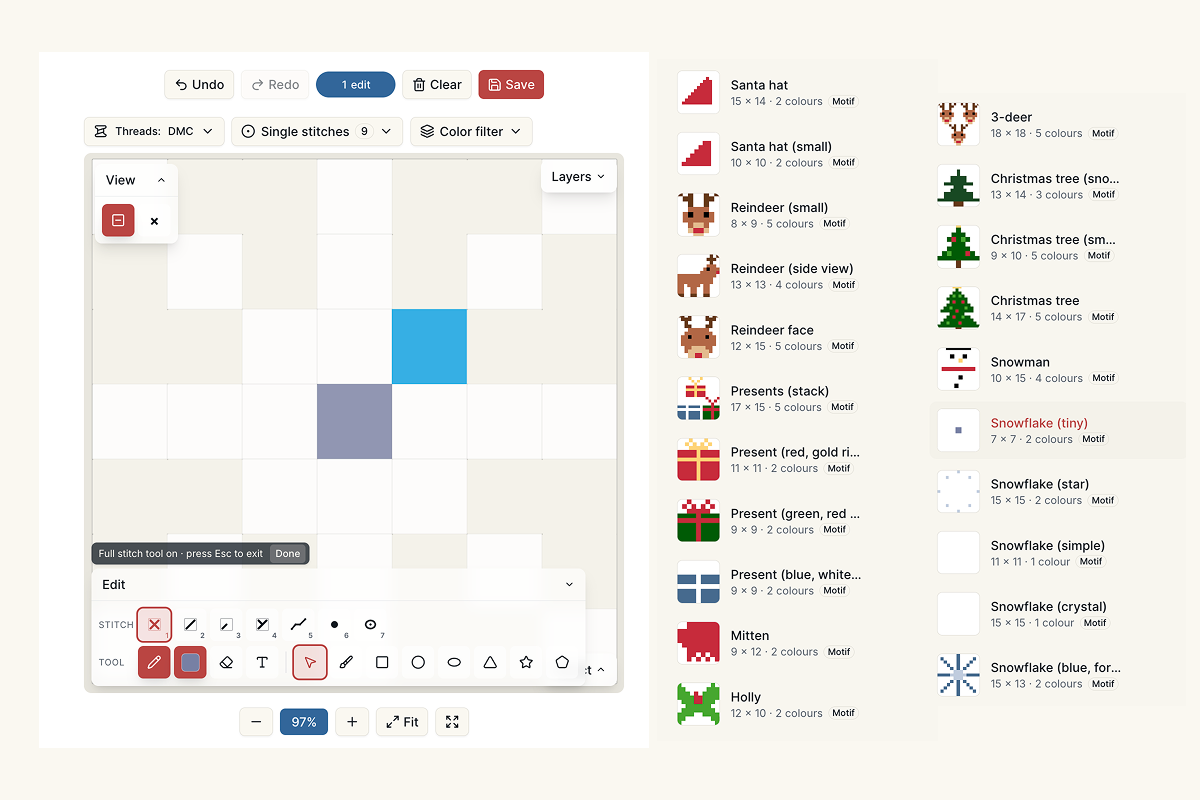
- In the editor, choose Start a blank canvas.
- Pick Exact stitches and give it some room around the motif, for example 20 × 20 for a 13-stitch snowflake. The extra space doesn't matter, because the motif is trimmed to its stitched area when you save it.
- Choose the fabric you stitch most on (14-count Aida is the safe default) and your thread brand.
- Create the canvas and unlock it. A blank canvas unlocks like any other pattern.
Make one canvas per motif. It's tempting to draw all six on one canvas, but a motif is always a whole canvas, so six on one page would place as one big block.
Step 2: Draw with a small, shared set of threads
Pick five or six threads before you draw anything and use only those across every motif. Then the holly on a pet portrait and the holly on an ornament are the same reds and greens, and you buy each skein once for the whole season.
A set that works well on cream or white Aida:
- DMC 321 (Red) for berries, baubles and candy cane stripes. It's the classic Christmas red and reads clearly even at one stitch.
- DMC 699 (Green) and DMC 701 (Light Green), the darker for outlines and leaf edges and the lighter to fill. Two greens are enough to give holly some shape.
- DMC 725 (Medium Light Topaz) for the star and any gold.
- DMC 3865 (Winter White) with a pale blue for snowflakes. On white fabric, outline snowflakes in the blue or they disappear.
- DMC 3799 (Very Dark Pewter Gray) if a motif needs a dark outline. It's softer than black next to a photo portrait.
Draw at full stitches, then add details. A single backstitch line along a candy cane's curve, or a French knot in the middle of a snowflake, survives being placed into another pattern, because motifs keep their backstitch, knots and beads.
Step 3: Save each one as a motif
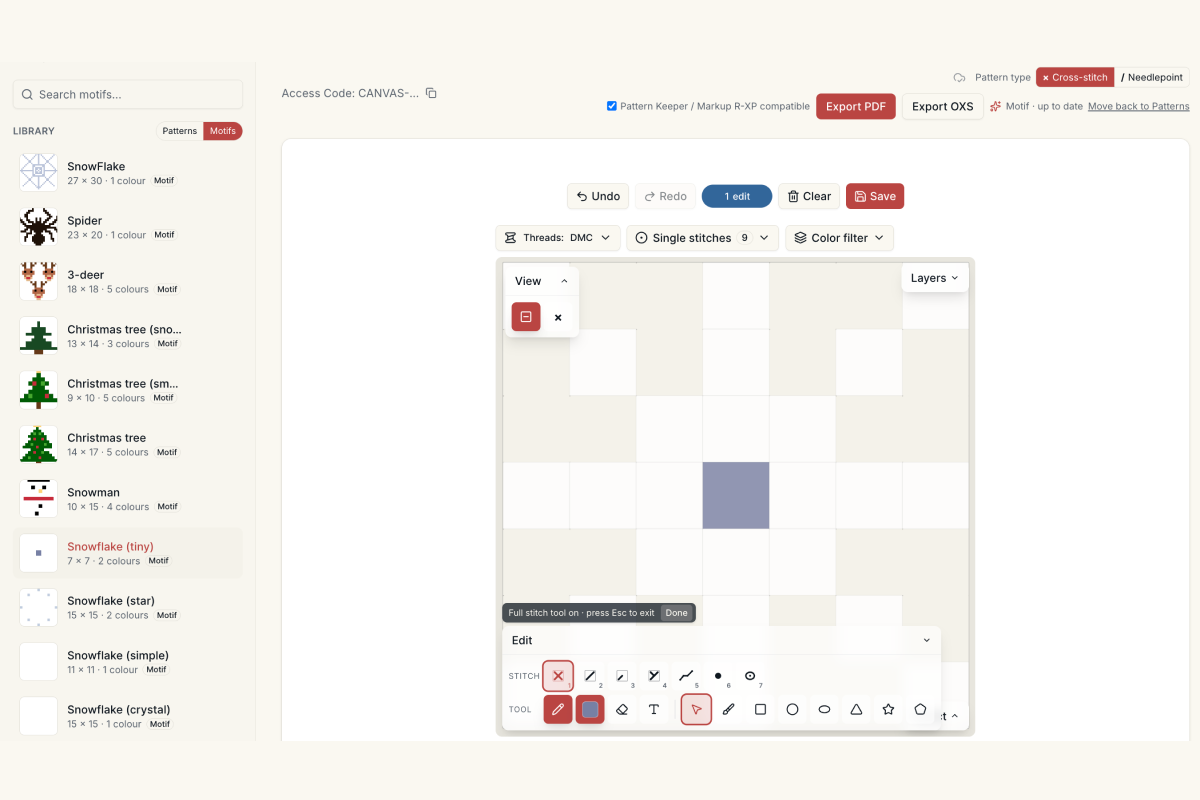
On the finished canvas, choose Save as motif next to Export and give it a plain name: "Snowflake 13", "Holly sprig", "Star gold". Putting the size in the name helps later, when you're choosing between two snowflakes.
Your library now has a Motifs side next to Patterns. If you change a motif later, open it from there and edit it like any canvas; the library copy updates a few seconds after you stop.
Step 4: Place motifs on a pet portrait
This is where the library pays for itself. Open an unlocked portrait (a photo of the dog, the cat, the grandkids), then:
- In the Layers panel, open the new layer menu and choose Motif from library. Putting motifs on their own layer keeps them off the portrait, so you can recolor or hide them without touching the photo stitches.
- Pick a motif. The picker shows its size on this pattern's fabric and grays out anything too large for the canvas.
- Move the preview into place and press Enter (or Place on a phone) to stitch it.
- For a matching corner, press H to flip the holly sprig and place it again on the other side. R turns a motif a quarter turn, which is how one corner motif fills all four corners.
- Press Esc or Done when you're finished.
A star centered above the name and holly in the two bottom corners is plenty for a 5 × 7 portrait. Leave some plain fabric between the motifs and the face, so the portrait stays the subject.
Step 5: Make a Christmas cross stitch border with snowflakes
After the first stamp you stay in placement mode, so a border is a matter of place, move, place. The trick is choosing a spacing that comes out even.
Add the motif's width and the gap you want, and divide the side of the pattern by that number. An 8 × 10 frame on 14-count is 112 stitches wide. A 13-stitch snowflake with a 3-stitch gap repeats every 16 stitches, and 112 ÷ 16 is exactly 7, so seven snowflakes fit across the top with even spacing. Use the arrow keys to nudge one stitch at a time while you count.
If the numbers don't divide evenly, put the leftover stitches at the two ends rather than squeezing one gap. Nobody notices a slightly wider margin at the corners; a short gap in the middle of a row stands out.
Reusing the library across the season
The same six motifs go a long way once they're saved. Here's how they carry over to the other gifts:
Ornaments. On a 3-inch ornament (42 × 42 on 14-count), one snowflake or one star is enough, placed at full size. The Christmas gift guide has sizes and how long each gift takes.
Plastic canvas. Motifs are measured in stitches, so the same 13-stitch snowflake is about an inch wide on 14-count Aida and nearly two inches on 7-count plastic canvas. That's often just right for a yarn ornament; the plastic canvas ornament guide covers mesh sizes and finishing.
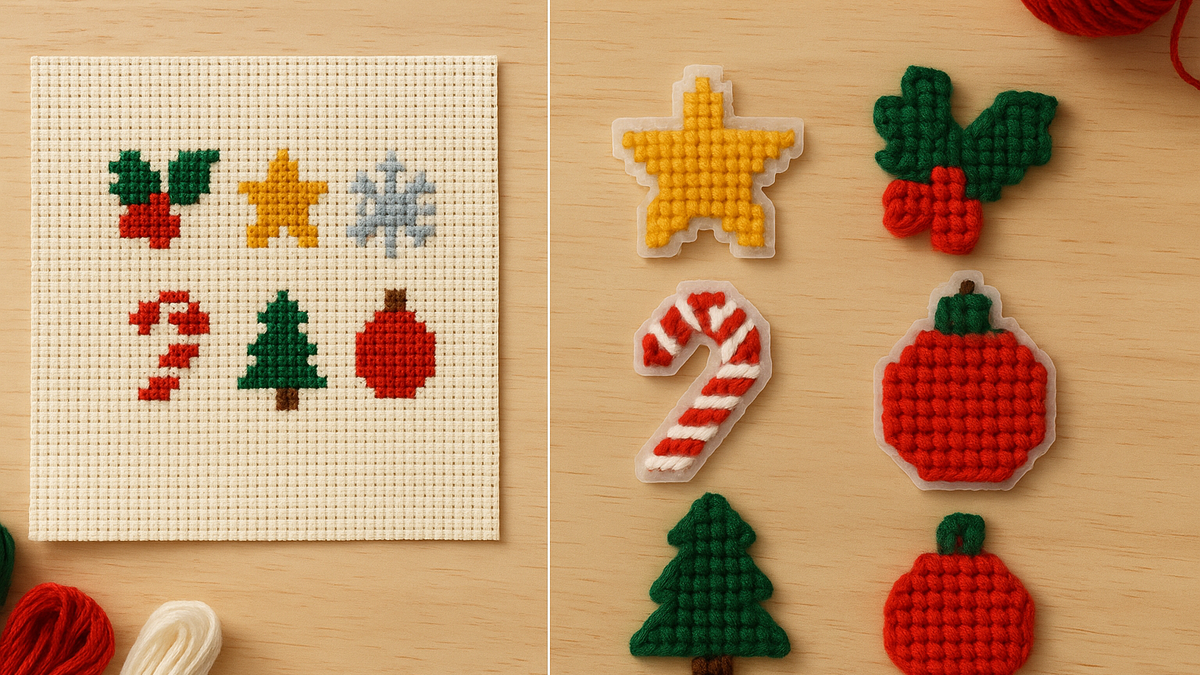
Cards. A single bauble or tree on a small blank canvas, maybe with a name in backstitch lettering underneath, makes a quick insert for a card with an aperture.
Bigger pieces. On an 8 × 10 frame, a motif placed at 2× size reads from across the room. Enlarging is exact (each stitch becomes a 2 × 2 block), so the motif keeps its shape.
Editing a motif after you've used it
Every placed motif is a copy. If you decide in mid-December that the holly needs a darker berry, change the original in your library, and every gift you place it on from then on gets the new version. The ones you've already placed (and maybe already stitched) stay as they were, which is what you want when a piece is half finished in a hoop.
For the full set of motif tools, including sampler layouts and placing motifs from an .oxs file, see the motif library guide.
What you need
Saving and placing motifs works on any unlocked pattern: a single pattern, a membership, or the free pattern credit you get when you sign up. Each motif's blank canvas unlocks like a pattern, so a membership is the cheaper way to build a library of six or more; see pricing.
Try it with your own photo
Upload a photo and see your counted cross stitch pattern preview — free, before you pay anything.
Try the free pattern preview